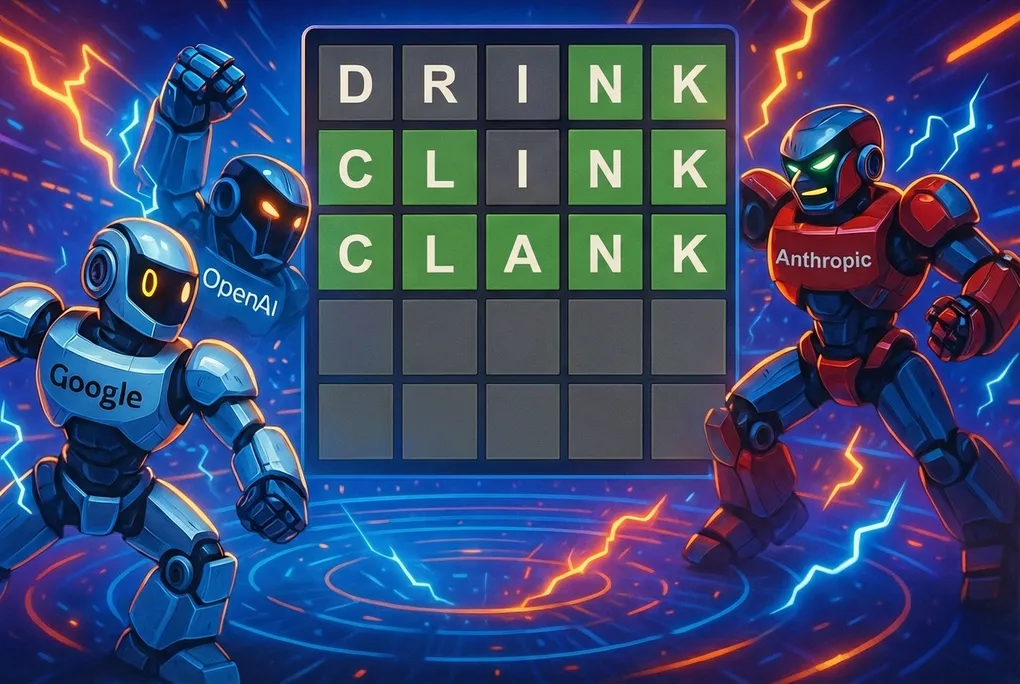
Can Clankers Wordle
Let me start by saying I hate this game. I was quite happy to leave it back in 2021 after I played it for a few months and then it quietly died. A friend has recently reintroduced my wife and me to it and now our group chat consistently looks like this.
Wordle 1,701 5/6
⬛⬛⬛⬛🟨
⬛⬛🟩⬛🟨
⬛🟩🟩⬛⬛
🟩🟩🟩🟩⬛
🟩🟩🟩🟩🟩
However one positive to Wordle being reintroduced to my life is it’s given me an excuse to explore something new. I saw that TanStack AI dropped a few months ago and I wanted to try it but didn’t really have anything I wanted to build especially for an alpha package that is very likely to change in the near future so I didn’t want it to be anything serious. Nonetheless I had my idea, see how good different models were at guessing Wordle using the new TanStack AI package. Additionally I set some other goals for this project, I wanted to work on my ai coding and prompting skills so I made a point of not writing as much code by had as possible, so this project is I’d say ~95% ai coded with heavy human in the loop steering as I wanted things to be done a certain way and not have the ai go off the rails and I am pretty happy with the results. I had already used up all my gpt-5.3-codex tokens on another project this month so everything was written with Cursor’s new model composer 1.5 and I am pretty impressed with it’s ability.
Anyway, back to making Wordle. First thing was first I wanted to just create the game in a human playable form but in a way that was extensible for an ai tool to use, this way the logic could be shared between both versions of the game. This is what you see below here.
// evaluateGuess.ts - Wordle scoring with duplicate-letter handling

/**
 * - First mark exact matches as "correct" (green) and consume them.
 * - Then mark remaining guess letters as "present" (yellow) only if the letter
 *   exists in the remaining (unconsumed) answer letter pool.
 * - Otherwise mark as "absent" (grey).
 */
export function evaluateGuess(guess: string, answer: string): LetterResult[] {
  const g = guess.toLowerCase();
  const a = answer.toLowerCase();

  if (g.length !== a.length) {
    throw new Error(
      `evaluateGuess: guess length ${g.length} != answer length ${a.length}`,
    );
  }

  const result: LetterResult[] = Array.from(
    { length: g.length },
    () => "absent",
  );

  // Remaining counts for letters in the answer that haven't been consumed by greens.
  const remaining: Record<string, number> = Object.create(null);

  // Pass 1: greens, and build remaining pool.
  for (let i = 0; i < g.length; i++) {
    const gc = g[i]!;
    const ac = a[i]!;
    if (gc === ac) {
      result[i] = "correct";
    } else {
      remaining[ac] = (remaining[ac] ?? 0) + 1;
    }
  }

  // Pass 2: yellows for non-greens, consuming from remaining pool.
  for (let i = 0; i < g.length; i++) {
    if (result[i] === "correct") continue;
    const gc = g[i]!;
    const count = remaining[gc] ?? 0;
    if (count > 0) {
      result[i] = "present";
      remaining[gc] = count - 1;
    }
  }

  return result;
}
If you’re up for it roll back the years and play a game (with the added benefit of no ads and you can play as many times as you like)
With that out of the way, it was time for the fun
part: implementing the ai, and I have to say with this new package it was an
absolute breeze. Even though it was brand new the docs were fantastic I fed them
straight into my prompts with a clear plan for how I wanted the ai to be able to
play the game. At first my idea was two tool calls I would load into the models.
One, make_guess, which would allow the ai to give a word as a guess and get
back an array response of correct, present or absent for the amount of
letters. Two, get_game_state, which would get all the guesses to give them
back as an array of the words the llm has already guessed, the complete board
state with the prior mentioned guess array response and whether the game was in
a state of won lost or playing. It wasn’t long till I realised that was a
bit stupid and I could just return both the current guess feedback and the
entire game state with the one make_guess tool so the ai would not have to
stop every two or three guesses to figure out where it was at, it would just
know.
// wordleTools.ts - TanStack AI tool definition with Zod schemas
import { toolDefinition } from "@tanstack/ai";
import { z } from "zod";

export const makeGuessDef = toolDefinition({
  name: "make_guess",
  description: `Submit a 5-letter Wordle guess. Returns feedback:
    correct (green) = right letter right position,
    present (yellow) = letter in word elsewhere,
    absent (grey) = letter not in word.`,
  inputSchema: z.object({
    word: z.string().length(5).describe("Exactly 5 lowercase letters"),
  }),
  outputSchema: z.object({
    success: z.boolean(),
    feedback: z.array(z.enum(["correct", "present", "absent"])).optional(),
    status: z.enum(["playing", "won", "lost"]),
    message: z.string().optional(),
    // Full game state after this guess for the agent loop
    gameState: z
      .object({
        guesses: z.array(z.string()),
        feedback: z.array(z.array(z.enum(["correct", "present", "absent"]))),
        guessNumber: z.number(),
        guessesRemaining: z.number(),
      })
      .optional(),
    answer: z.string().optional(), // Only present when lost
  }),
});
One of the biggest problems I had was at the beginning I was trying to do most things client-side. I was using the client-side tools of TanStack AI package. Because of this after the ai made around 2-3 tool calls it would just stop. and if you wanted it to keep going you would have to write a new message to it to continue playing. I tried many things with the system prompt, setting the agentLoopStrategy, nothing seemed to work. It took me a while to figure out but the solution was I had to move the entire game logic to server-side state, directly alongside the LLM chat() call and use server tools. For whatever reason and I am not sure if this is a quirk of the package or LLM’s in general but this solved the agent from not being able to complete its full system prompt task. To double down the agent ensuring it finished the task the agentLoopStrategy was used to look at the latest tool call and if the game state was still playing return true to keep going.
// wordle-ai.ts - Server-side game state and agent loop
import {
  chat,
  toServerSentEventsResponse,
  type ModelMessage,
  type AgentLoopStrategy,
} from "@tanstack/ai";
import { makeGuessDef } from "./wordleTools";
import { getOrCreateGame } from "../../lib/wordle/gameStore";

const MAX_AI_GAMES_PER_IP = 5;

/** Agent loop strategy: continue until game is won or lost */
const wordleAgentLoopStrategy: AgentLoopStrategy = (state) => {
  const { messages } = state;
  // Walk backwards through messages to find the latest tool result
  for (let i = messages.length - 1; i >= 0; i--) {
    const msg = messages[i] as ModelMessage | undefined;
    if (msg?.role === "tool" && typeof msg.content === "string") {
      try {
        const result = JSON.parse(msg.content) as {
          status?: "playing" | "won" | "lost";
        };
        // Keep going if still playing, stop if won/lost
        if (result.status === "playing") return true;
        if (result.status === "won" || result.status === "lost") return false;
        return true;
      } catch {
        // If we can't parse, assume we should continue
        return true;
      }
    }
  }
  // No tool results yet, keep going
  return true;
};

export const POST: APIRoute = async (context) => {
  const { request, locals } = context;
  const env = locals.runtime?.env;

  // ... rate limiting code ...

  const conversationId =
    data?.conversationId?.trim() ||
    `wordle-${Date.now()}-${Math.random().toString(36).slice(2, 9)}`;

  // Initialize server-side game state BEFORE the agent loop runs
  getOrCreateGame(conversationId, { newGame: data?.newGame === true });

  const makeGuess = makeGuessDef.server(async (input) => {
    const { word } = input;
    let game = getOrCreateGame(conversationId);

    // Validation and game logic...
    const fb = evaluateGuess(word, game.answer);
    game.guesses.push(word);
    game.feedback.push(fb);

    const won = fb.every((r) => r === "correct");
    const lost = !won && game.guesses.length >= MAX_GUESSES;
    game.status = won ? "won" : lost ? "lost" : "playing";

    // Return structured data that the agentLoopStrategy will inspect
    return {
      success: true,
      feedback: fb,
      status: game.status, // This is what the loop strategy checks
      gameState: {
        guesses: game.guesses,
        feedback: game.feedback,
        guessNumber: game.guesses.length,
        guessesRemaining:
          game.status === "playing" ? MAX_GUESSES - game.guesses.length : 0,
      },
      ...(game.status === "lost" ? { answer: game.answer } : {}),
    };
  });

  const stream = chat({
    ...chatConfig,
    messages,
    conversationId,
    tools: [makeGuess],
    // The key fix: server-side agent loop strategy
    agentLoopStrategy: wordleAgentLoopStrategy,
  });

  return toServerSentEventsResponse(stream);
};
The only other thing that I am not really happy with and I think this is just a bug. The thinking streams in as one singular part and just keeps appending to that first thinking part instead of creating a new part like text or tool calls do. Because of that the sequence of events can be a bit thrown off. (you’ll see what I mean, especially if you try to use the glm 4.7 model, bro is quite the over thinker). I have an open question in the Tanstack discord about that so hopefully that will get solved. Apart from that I think the package is fantastic. end-to-end type safety for all different models and straight forward apis for making tool calls make working with LLMs a pleasure so I hope they continue to develop and will definitely be keen to use it again in the future.
Here’s the finished result. I can only let you play a few games so I don’t go broke. In my opinion the best model to play of the ones I have here is GPT-5-mini. It is very smart being able to get the word in 3-4 most of the time and rarely loses. Like I said before, if you want to see what overthinking looks like run the GLM 4.7 fast model. If you are like me you will probably get bored and move on before it finishes. It’s also quite dumb and rarely wins but spews token very fast so a bit of a spectacle. You will notice Claude is not hooked up. I wrote the code to get it to work but didn’t want to pay to use the api for this so if you’re desperate to see it. All this code is public on my GitHub go clone it and run it locally with you’re own key. Lastly Google , this is using an old model so I can leech off the free-tier API consumption. and for an older model does surprisingly well. Again if you want to test other models yourself, go clone the repo here. Anyway that’s enough yapping from me. Enjoy.